


Plant Identifier: LeafSnap
4.42.67K Reviews
App Specs
- Version
- 2.8.6
- Updated On
- License
- Free
- Downloads
- 5,000,000+
- Developer
- Appixi
- Categories
- Education
- Platform
- Android, iOS
Screenshots

 Analysis by AppCompare
When I find an unfamiliar leaf on a walk or notice a plant struggling at home, I want a quick lead, not a botany lesson before I can begin. Plant Identifier: LeafSnap is built for that first question: what might this plant be, and what should I look at next? I find it most useful as a starting point for curiosity and plant care, rather than as a final authority. A photo can narrow down possibilities, but the result still needs a little judgment from me.
Starting with a real plant, not a perfect specimen
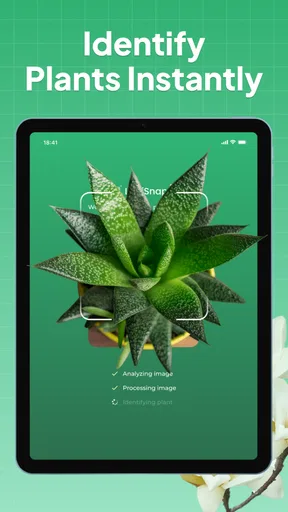
The best time to use a plant identifier is often when the subject is right in front of you: a flower beside a path, a tree in a neighbor’s garden, or a houseplant whose leaves have begun to look unusual. LeafSnap’s photo-based approach makes that moment easy to act on. I can take a picture and use the identification as a prompt to inspect the plant more closely, rather than trying to remember details later.
For a more useful result, I try to frame one clear feature at a time. A single leaf against a simple background is easier to assess than a busy shot containing several plants, shadows, and garden clutter. With a tree or flowering plant, I also look for a distinctive leaf, flower, or fruit to photograph. This small bit of care can make the difference between a helpful suggestion and a result that leaves me unsure which plant the app has focused on.
From photo to a more informed next step
Once I have an image, the app offers an identification and information about the plant. I treat the suggested name as a lead: I compare it with the visible shape and details instead of assuming that a quick match settles the question. That matters especially when several plants look alike, or when the photo is taken at an awkward angle. If the result does not fit what I can see, I would rather take another, clearer picture than build a care decision around a doubtful match.
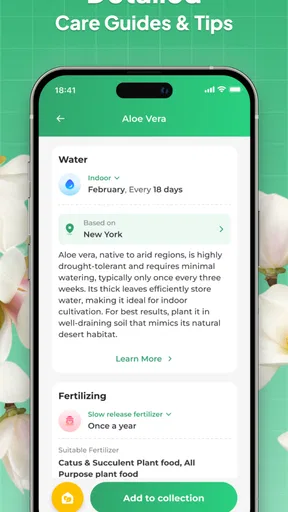
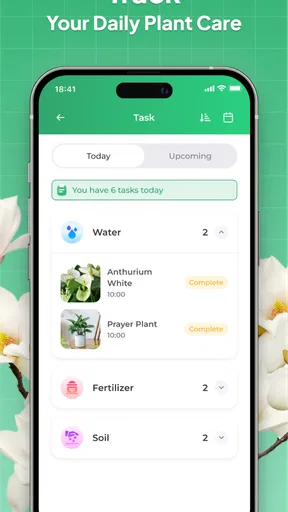
The useful handoff is from identification to context. LeafSnap also covers plant characteristics, habitat, care tips, and growth patterns, so I can move from “what is this?” to “what does it need?” For a plant at home, I would use those details to guide what to investigate next, not as a substitute for noticing the actual conditions around it. A general care suggestion cannot see the light, watering routine, or potting situation in my room; I still have to connect the advice to the plant’s real setting.
Where a quick answer needs a second look
Photo identification is convenient, but a picture does not always show every feature that separates similar species. Lighting, a damaged leaf, or a frame crowded with foliage can all make the result less convincing. I see the app as a learning aid and a way to organize a promising lead, not a tool for making high-stakes decisions about whether a wild plant is safe to eat or touch. For anything involving safety, I would rely on a qualified local source instead of trusting an image match alone.
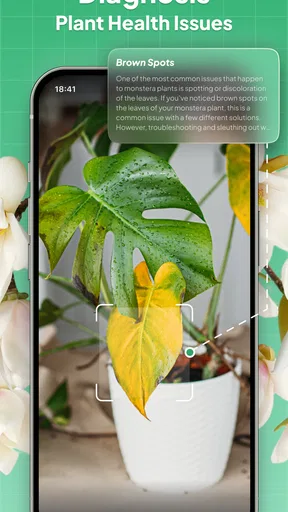
That distinction also helps set expectations for plant care. A diagnosis or care suggestion can give me a direction to explore, but it cannot replace checking the plant itself and the conditions it is growing in. If a houseplant is declining, I would use an identification to make sure I am researching the right kind of plant, then consider practical factors such as watering and light before changing several things at once. That makes the app more useful as part of a careful routine than as a one-tap fix.
Worth Reading Before You Choose

EA SPORTS FC Mobile 26 Is a Bigger Football Game, but It Takes Time

Flipboard Shows What News Apps Must Do Beyond the Feed

Switching to Android Auto Means Rethinking Your Driving Routine

Google Calendar Makes a Crowded Week Easier to Manage

Ludo King Makes the Most of the Minutes Between Plans

Baby Panda World Brings Quick Play to Modern Phones, but Its Game Library Feels Busy
Getting Started with LeafSnap
First things first, downloading the app is a breeze. Available for both Android and iOS, LeafSnap is easy to find in the app store. Once installed, you're greeted with a clean, intuitive interface that instantly makes you feel like you’re ready to explore the botanical world. The app is user-friendly, with a straightforward design that doesn’t overwhelm you with unnecessary clutter.
How Does LeafSnap Work?
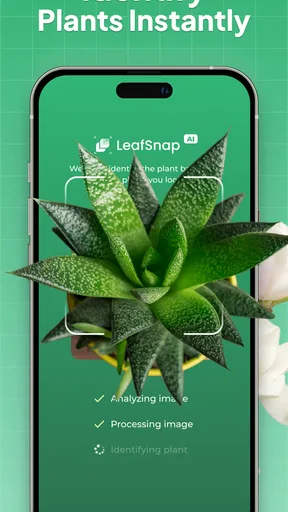
Using LeafSnap is as easy as snapping a photo. Literally. You simply take a picture of the plant you want to identify, and the app does its magic. Within seconds, it provides you with detailed information including the plant’s name, species, and even some interesting facts. It’s like having a plant encyclopedia at your fingertips!
What’s really cool is that the app doesn’t just stop at identifying plants. It offers a deeper dive into each plant's characteristics, such as its typical habitat, care tips, and growth patterns. This makes it an excellent tool not just for plant identification, but also for learning how to take care of your green friends.
Features that Stand Out
One of the standout features of LeafSnap is its extensive database. The app boasts thousands of plant species, so whether you’re identifying a common daisy or an exotic orchid, LeafSnap has got you covered. The accuracy of the identification is pretty impressive too, thanks to its advanced AI technology.
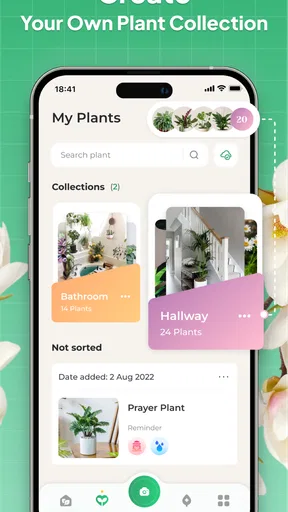
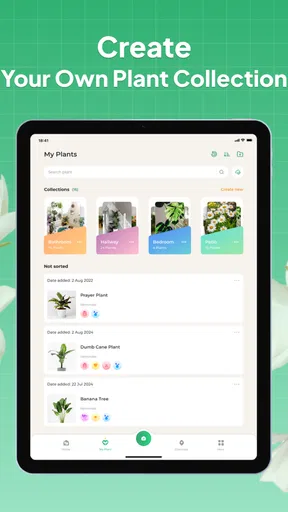
Another feature worth mentioning is the app’s ability to save your identified plants. This allows you to build a personal collection of your discoveries, which you can revisit any time you want. It’s a fantastic way to track your botanical adventures and even share them with friends who might be interested in your findings.
Plus, for those who love a bit of a community vibe, LeafSnap includes a social feature. You can connect with other plant enthusiasts, share your discoveries, and exchange tips. This community aspect adds a fun, interactive layer to the app.
Making room for it in an everyday routine
LeafSnap is an education app from Appixi, and its appeal is easy to understand: I can use it for a passing curiosity without needing to be a gardener. It is free to download, rated for Everyone, and has an average rating of 4.3 from around 13,000 ratings, with over 5 million installs. It was released on November 7, 2019, and version 2.8.5 requires Android 7.0 or later. Those figures suggest a well-established option, though popularity cannot tell me whether a particular identification is right.
A realistic use is a weekend walk where I spot a tree I do not recognize. I would photograph a distinctive leaf, check the suggested identity, then save it so I can revisit the result at home and compare it with what I remember. That saved entry gives the outing a useful thread: instead of taking several nearly identical photos and forgetting why I took them, I can keep a small record of what caught my attention. It is a lightweight way to turn a walk into informal learning.
At home, the workflow is different. If a plant’s leaves look unhealthy, I would first identify the plant, then read its care information and check whether my routine fits its likely needs. I would change one factor at a time rather than treating an app suggestion as a diagnosis. For example, a care tip may send me to investigate watering, but I still need to check how quickly the soil dries and whether the plant gets suitable light. The app can help me ask a better question; it cannot observe those conditions for me.
Useful for curiosity, less suited to certainty
I would recommend LeafSnap to casual nature lovers, new plant owners, and anyone who wants a convenient way to keep track of discoveries. It is particularly handy when I want a starting point before reading further, or when a saved identification can help me remember what I saw. The combination of identification, plant information, and a personal collection is more useful than a camera-only lookup if I expect to return to what I found.
It is less suitable for someone who needs a dependable expert determination every time. A field guide or a knowledgeable local botanist can be a better choice when a close distinction matters, because they can weigh several visible features and local context rather than relying on one image. Likewise, if I only need a fast answer once, a general web search may be enough; LeafSnap makes more sense when I want to keep exploring plants and build a personal reference over time.
The app also covers mushrooms, but I would be especially cautious with that kind of identification. A photo-based suggestion is not a safe basis for deciding whether a mushroom is edible. The same principle applies to any plant where a mistaken match could have consequences: use the result to guide further research, not to replace expert advice. That boundary does not make the app less useful for learning; it makes the proper role of the result clear.
Small choices that improve the handoff
When an identification seems uncertain, I would not keep submitting the same crowded image and hope for a different answer. I would take a new photo that isolates a leaf or flower, check that it is in focus, and compare the proposed plant with the details I can see. If I am outdoors, I would also note the location and setting for myself. Habitat can help me judge whether a suggestion makes sense, even when the app’s result is only a likely match.
Saving discoveries is most valuable when I add a little context to my own routine: why I took the photo, where I saw the plant, or what question I wanted to answer. The collection can then become more than a gallery of names; it can help me follow a season’s walk or remember which plant I wanted to research later. I would still keep separate notes for important care changes, since an identification record alone does not show whether a plant improved after I adjusted its routine.
The social side may suit someone who enjoys swapping observations, but I would treat community tips as another perspective rather than a guarantee. Advice from another enthusiast can suggest what to inspect, while a plant’s actual condition remains the test. For readers who prefer a private, purely reference-style tool, that social layer may matter less than the identification and saved collection.
What to expect before installing
The app is free, with in-app purchases ranging from $1.99 to $49.99 per item. I would start with the free experience and decide whether the way I use it justifies paying for anything; there is no reason to spend before I know that I will return to the app. The price range also makes it sensible to check the specific purchase details in the app before confirming, rather than assuming every paid option offers the same thing.
Compared with carrying a printed field guide, LeafSnap is quicker for an initial photo-based guess and easier to use while standing beside a plant. A field guide, however, encourages me to compare leaves, flowers, and habitat systematically, which can be more reassuring when similar species are involved. Compared with a broad search engine, LeafSnap keeps plant identification and related information in one place, while a search can be more flexible when I want to cross-check several sources. I would choose based on the task: quick curiosity favors the app; careful confirmation favors multiple references.
Its current version is 2.8.5, and the Android minimum is 7.0, so device compatibility is worth checking before installing on an older phone. The app is intended for everyone, but younger users should still have an adult’s help when an identification leads to questions about eating, touching, or treating an unknown plant. That is ordinary caution, not a reason to avoid learning about nature.
Is LeafSnap Worth the Download?
After spending some time with LeafSnap, I’d say it's definitely worth a spot on your phone, especially if you have even a passing interest in plants. It's not just an app for the hardcore botanist; it’s accessible to anyone who’s curious about the natural world.
The app is mostly free, but there are some premium features available for those who want to take their plant identification to the next level. However, the free version is comprehensive enough for casual users, so you don’t have to spend a dime if you don’t want to.
In conclusion, LeafSnap is a delightful, informative app that brings the wonders of nature to your fingertips. Whether you’re looking to identify a mysterious plant or simply broaden your botanical knowledge, this app is a fantastic tool. So next time you’re out in nature, don’t just walk by that mysterious plant—snap a pic, and let LeafSnap do the rest!
Pros
- Accurate plant identification through photos.
- User-friendly interface for easy navigation.
- Provides detailed plant care tips.
- Works offline after initial download.
- Includes a comprehensive plant database.
Cons
- Requires in-app purchases for full access.
- Occasional misidentification of rare plants.
- Heavy on battery usage during long sessions.
- Ads can be intrusive without premium.
- Limited social features for sharing finds.
FAQs for Plant Identifier: LeafSnap
What is Plant Identifier: LeafSnap and how does it work?
Plant Identifier: LeafSnap is an app designed to help users identify various plants through their smartphone's camera. By taking a photo of a plant, the app uses advanced image recognition technology to match it with a vast database, providing information about the plant's species, care tips, and more. This makes it a valuable tool for gardeners, botanists, and nature enthusiasts.
Is Plant Identifier: LeafSnap free to use?
LeafSnap offers a free version with basic features, but for enhanced functionality, such as unlimited identifications and detailed plant care information, users can opt for a subscription. The premium version removes ads and provides access to a broader range of plant data, making it ideal for more serious users.
How accurate is the plant identification in LeafSnap?
The accuracy of LeafSnap's plant identification is generally high, thanks to its sophisticated image recognition technology and extensive plant database. However, results can vary depending on the clarity of the photo and the uniqueness of the plant. For best results, ensure good lighting and a clear image of the plant's features.
Can LeafSnap identify plants from different regions?
Yes, LeafSnap is designed to recognize a wide variety of plants from different geographical regions around the world. Its database includes a diverse range of species, making it a reliable tool for plant identification in various climates and locales. However, some rare or highly localized species might not be present.
Does LeafSnap provide care instructions for identified plants?
LeafSnap not only identifies plants but also offers care instructions for many of them. This includes information on watering, sunlight requirements, and ideal soil conditions. These insights can be particularly helpful for those looking to maintain healthy plants and improve their gardening skills.


